



1 · Trigger

Stripe
New activity in your Stripe account
- New customer
- Payment made
- Subscription started
Keep Stripe and Mailchimp in sync. Use your Stripe customer and transaction data to build, segment, and tag your Mailchimp audience, power Stripe and Mailchimp automations, and supercharge your email marketing.
Syncs from Stripe
Step 1
Use our popular Stripe app to connect your Stripe and Mailchimp accounts.
Step 2
Pick a Mailchimp audience for new contacts and Stripe ecommerce data.
Step 3
Segment and tag audiences with Stripe Workflows and Mailchimp Automations built with data flowing from Stripe.
1 · Trigger
New activity in your Stripe account
2 · Events
Captured as they happen
3 · Map data

Grab the fields you need
4 · Action

Audience: Cactus practice
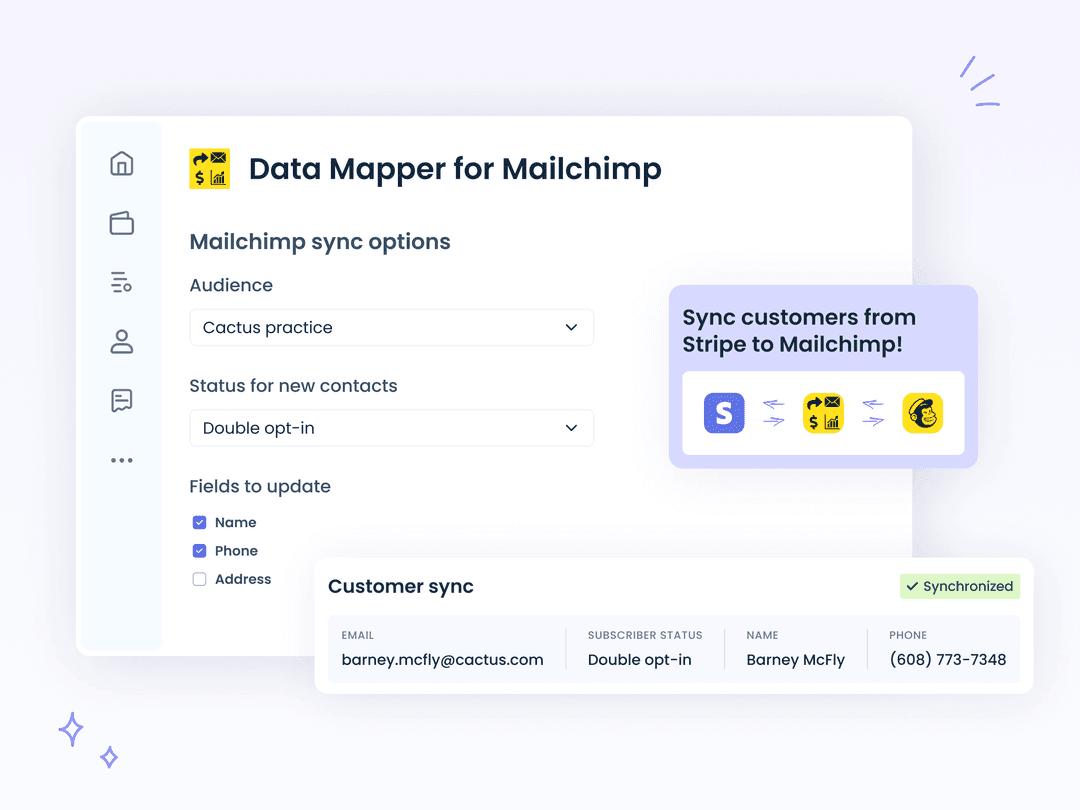
New and updated Stripe customers are added to your Mailchimp audience automatically.
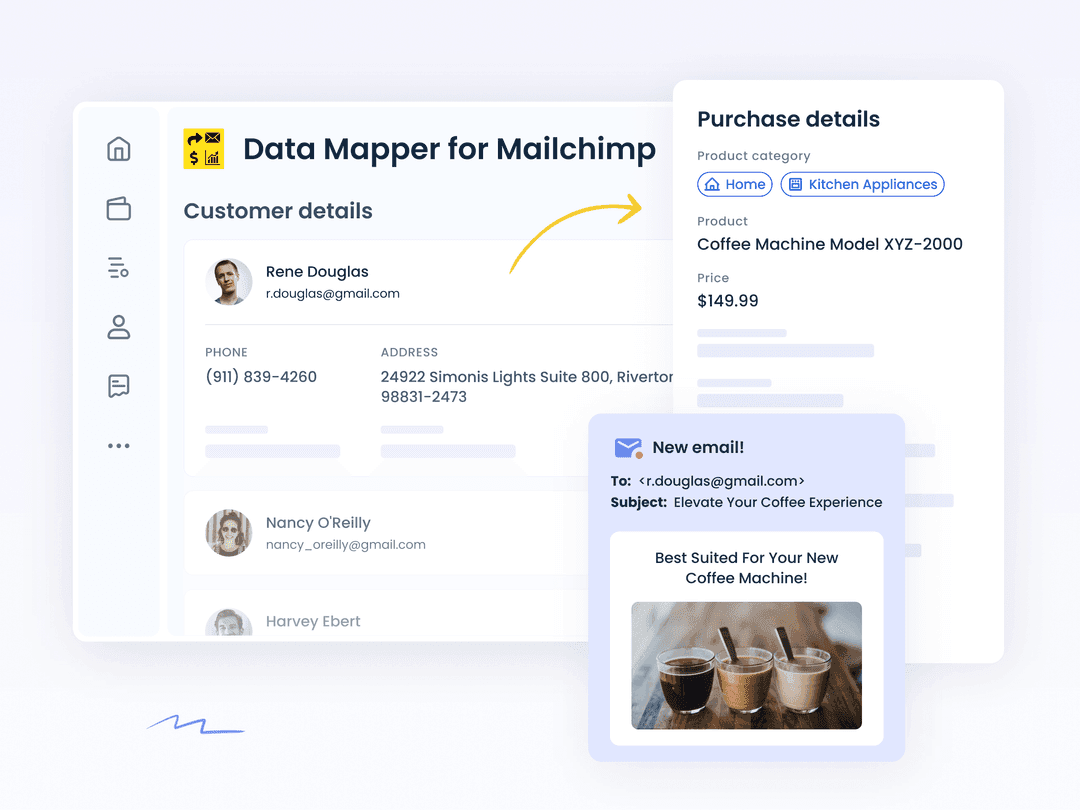
Products and purchases are synced to your Mailchimp store so you can market to customers based on what they bought.
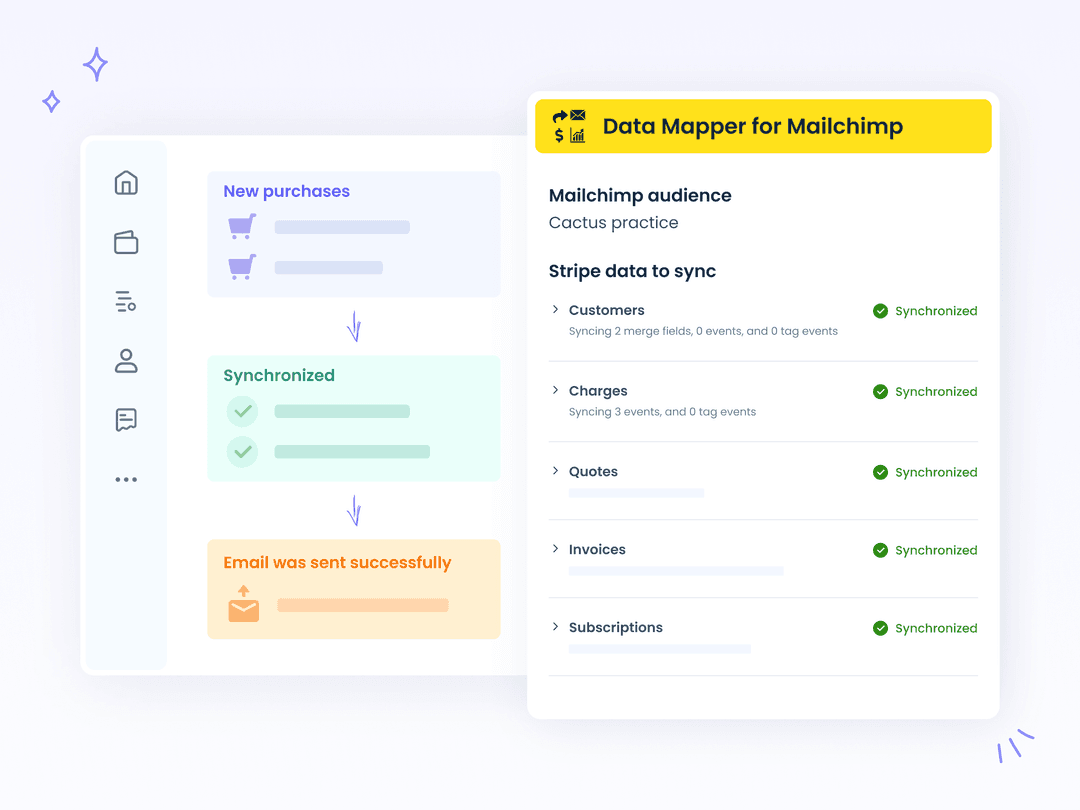
Start a Mailchimp automation when something happens in Stripe, such as a purchase or a paid invoice.
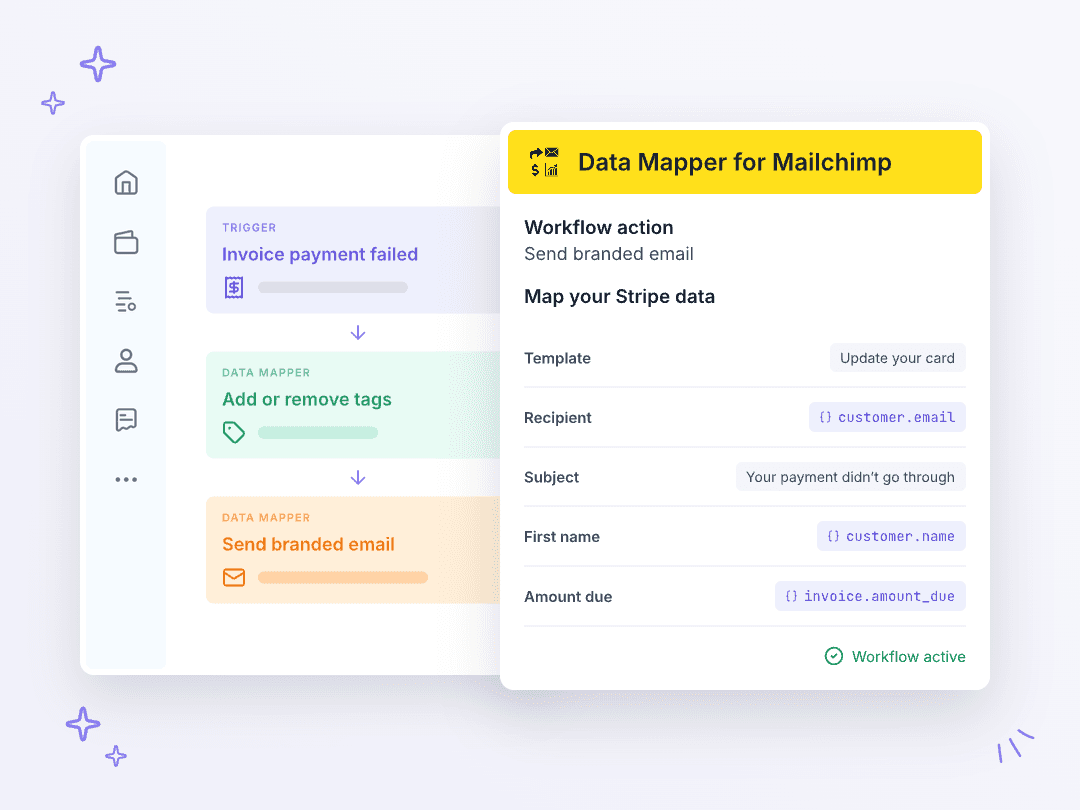
Add Data Mapper actions to any Stripe workflow. When a payment fails or a subscription is cancelled, Data Mapper can add or remove the contact’s tags in Mailchimp, so your Mailchimp automations can respond, or send them one of your branded emails.
A dashboard inside Stripe shows how your audience is growing and which products and orders reached your Mailchimp store. If something doesn’t sync, App health dashboards tell you why and how to fix it.
Sync customers and purchases, segment by what people buy, and trigger journeys from activity in Stripe.
Questions
Still curious? Our team is happy to help you get set up.
Contact supportYou can try all Data Mapper for Mailchimp features free for 30 days.
Customers, charges, quotes, invoices and subscriptions all sync to the Mailchimp audience you choose. On supporting plans, Data Mapper also creates a Mailchimp ecommerce store and syncs your products and purchases to it, so you can run Mailchimp automations based on what customers buy.
Yes. Products, categories, price and historical spend sync to Mailchimp, so you can segment and target customers by what they bought.
On the supporting plan, Data Mapper adds two actions to Stripe Workflows: add or remove Mailchimp tags, and send a branded email from your Mandrill templates. Pick any Stripe trigger, like a failed invoice or a cancelled subscription, and map Stripe data into the action. Note that a Mandrill API key is needed to send emails.